sequenceDiagram
  participant Client
  participant DHCP_Server as DHCP Server (192.168.68.1)
  Client->>DHCP_Server: Discover (0.0.0.0 -> 255.255.255.255)
  DHCP_Server-->>Client: Offer (IP lease proposal)
  Client->>DHCP_Server: Request (accept offer)
  DHCP_Server-->>Client: ACK (lease confirmed)
Tyler Tries Setting Up A Proxy DHCP Server
I’m setting up my homelab and one of my goals is zero-touch provisioning, plug in a machine and have it install itself over the network.
One common way to do that is PXE booting. Instead of booting from a USB stick, a client asks the network where to boot from.
PXE booting usually involves two protocols:
- Dynamic Host Configuration Protocol (DHCP) for network settings and boot metadata
- Trivial File Transfer Protocol (TFTP) for downloading early boot files
At home, my TP-Link Deco router (192.168.68.1) is the main DHCP server. It hands out IP addresses, gateway, DNS, and lease info. The issue is my Deco does not expose DHCP options for PXE boot settings.
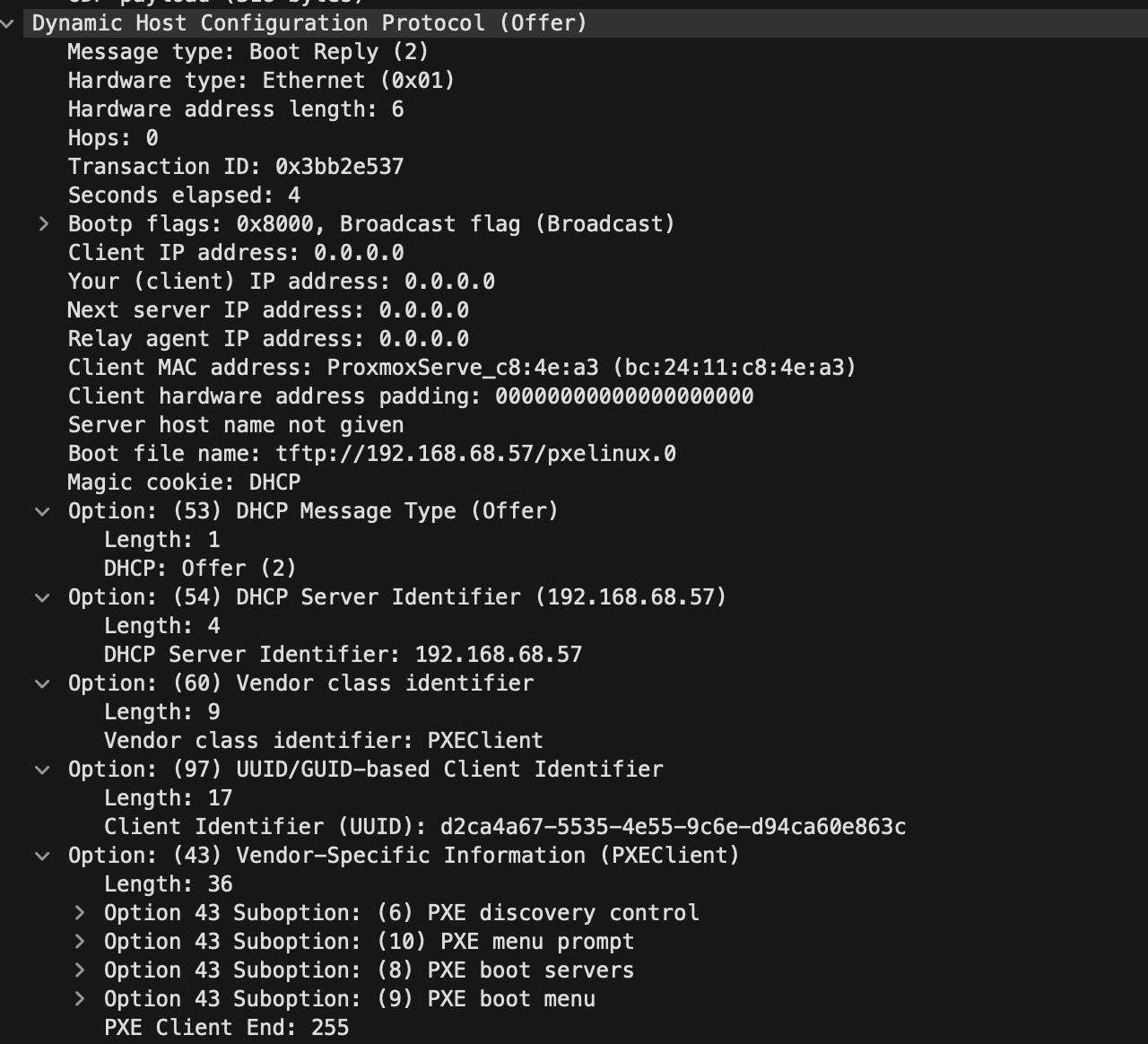
So I used dnsmasq on another host (192.168.68.57) as a Proxy DHCP server. In this setup dnsmasq only supplies PXE boot details (boot file + next server) while my router supplies the rest.
Capture normal DHCP
I started by looking at a normal DHCP exchange in Wireshark.
I selected Wi-Fi: en0, applied a dhcp filter, then forced a lease renew from my Mac:
That produced the standard DHCP flow:
Quick notes that helped me:
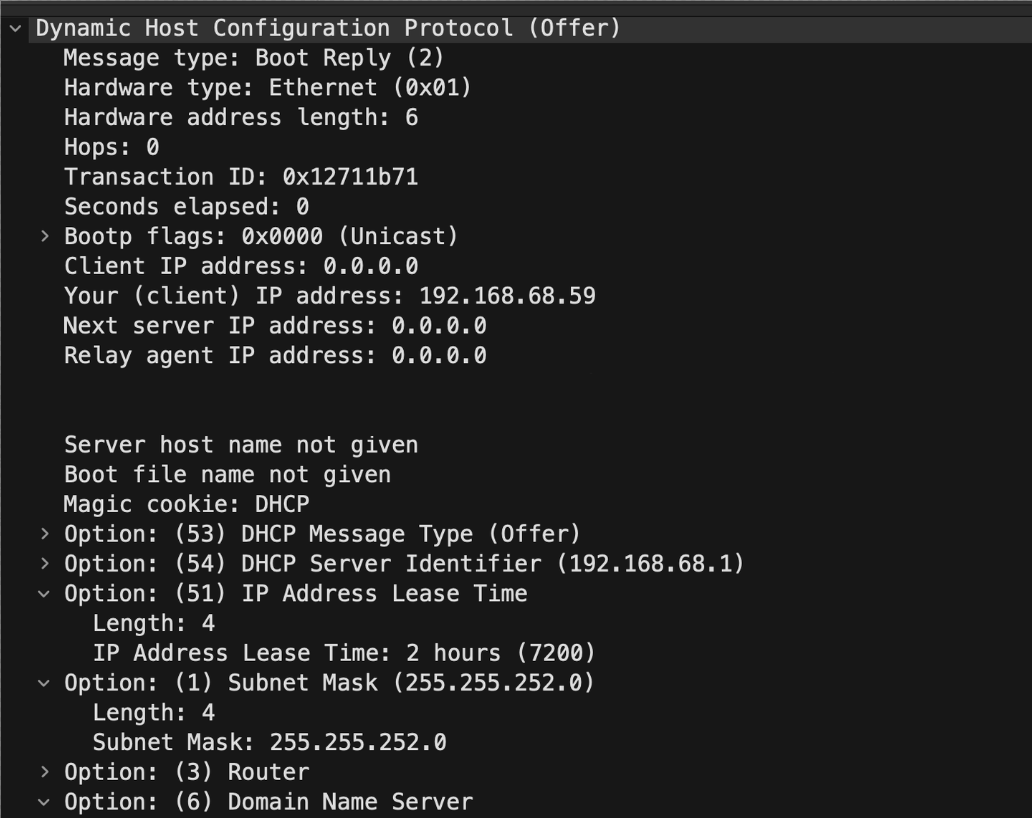
0.0.0.0as source means the client does not have an IP yet255.255.255.255is limited broadcast (inside the local broadcast domain)
Here are screenshots of the normal DHCP Offer:
Capture Proxy DHCP
My dnsmasq host (buck) runs on 192.168.68.57 and only proxies PXE info.
I won’t go into the details of setting up dnsmasq for proxy DHCP, since I simply followed this video and recommend you do the same: PXE with Proxy DHCP
I captured the PXE attempt but running the following in on my dnsmasq host.
When I opened the capture in Wireshark, you can see the PXE details in the DHCP offer:
Proxmox Caveat
For testing I was using a Proxmox VM but the Proxmox VM firmware identified itself as iPXE. I could see valid Proxy DHCP offers from dnsmasq, but the VM did not always auto-follow them to TFTP.
To keep moving, I manually chained from the iPXE prompt:
That successfully fetched pxelinux.0 and proved the server-side setup was working.
Funny enough, for my mini PCs I plan on doing the exact opposite, since they only support standard PXE. I’ll be using PXE to load iPXE first, and then letting iPXE handle the rest of the boot chain.